Web tool · updated
Barcode generator
Make a scannable barcode in seconds: EAN-13, UPC-A, Code 128, ITF-14, QR, Data Matrix and more. The check digit is worked out for you, and you can download PNG or SVG, copy it into a document, or print a whole sheet of labels. Everything runs in your browser.
- 13 formats
- Check digit added
- PNG + SVG
- Bulk from Excel
- Label sheets
- No sign-up
Barcode generator
Check digit 7 added: 5901234123457
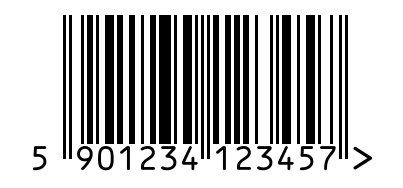
Everything is drawn in your browser: nothing you type is sent to QuestLoops. Print at 100% scale (turn off “fit to page”) so labels line up.
▸ Steps
How to make a barcode
- 1
Choose the type
EAN-13 or UPC-A for retail products, Code 128 for inventory, ITF-14 for cartons, QR for anything a phone should open.
- 2
Type your number
The barcode draws as you type. For EAN, UPC and ITF-14 the check digit is added, and wrong lengths or digits are explained in plain words.
- 3
Download or print
Save a PNG for screens or an SVG for print, copy it into Word or Canva, or print it on a label sheet. Use Bulk for a whole list.
▸ Choosing
Which barcode do I need?
Pick by where the barcode will be scanned. Shop tills expect UPC or EAN, warehouses expect Code 128 or ITF-14, and phone cameras handle QR codes best.
| If you need | Use | What it holds |
|---|---|---|
| Selling products in US or Canadian shops | UPC-A | 12 |
| Selling products anywhere else, or on Amazon worldwide | EAN-13 | 13 |
| Small packs where a full code won't fit | EAN-8 | 8 (or UPC-E for US packs) |
| Publishing a book | ISBN (book) | 13, starts 978 or 979 |
| Outer cartons holding several retail units | ITF-14 | 14 |
| Batch numbers, expiry dates or weights on a label | GS1-128 | Varies, in (AI) fields |
| Inventory, asset tags, internal shipping | Code 128 | Any keyboard text |
| Older systems or ID badges that expect it | Code 39 | Capitals, digits, a few symbols |
| Links, Wi-Fi details, menus for phone cameras | QR code | Up to ~2,000 characters |
| Tiny parts, electronics, medicine packs | Data Matrix | Up to ~1,500 characters |
▸ Formats
Barcode types you can make here
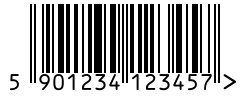
EAN-13
Products sold in shops and on Amazon outside the US and Canada.
Make a EAN-13 barcode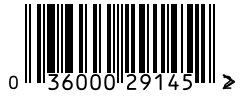
UPC-A
Products sold in US and Canadian shops.
Make a UPC-A barcode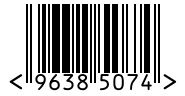
EAN-8
Small packs where an EAN-13 won't fit.
Make a EAN-8 barcode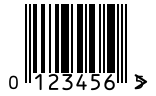
UPC-E
Small US packs: a zero-suppressed UPC-A.
Make a UPC-E barcode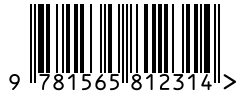
ISBN (book)
Books: an EAN-13 that starts with 978 or 979.
Make a ISBN (book) barcode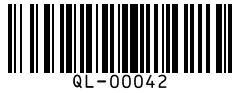
Code 128
Inventory, asset tags, shipping labels, anything internal.
Make a Code 128 barcode
GS1-128
Supply-chain labels carrying a GTIN with batch, expiry or weight.
Make a GS1-128 barcode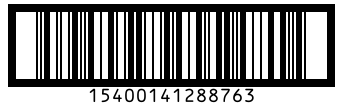
ITF-14
Outer shipping cartons holding several retail units.
Make a ITF-14 barcode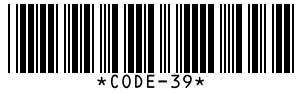
Code 39
Older industrial systems, ID badges, US defense (LOGMARS).
Make a Code 39 barcode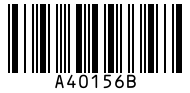
Codabar
Libraries, blood banks, some parcel services.
Make a Codabar barcode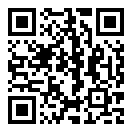
QR code
Links, Wi-Fi details, menus, anything a phone camera should open.
Make a QR code barcode
Data Matrix
Tiny parts, electronics, medicine packs.
Make a Data Matrix barcode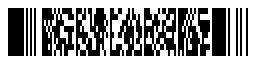
PDF417
ID cards, driving licences, boarding passes.
Make a PDF417 barcode
▸ How it works
How the check digit is calculated
EAN-13, UPC-A, EAN-8 and ITF-14 all use the same GS1 rule. Starting from the rightmost digit, multiply the digits by 3, 1, 3, 1 and so on, add the results, and the check digit is whatever brings the total up to the next multiple of 10. Here it is for 590123412345:
| Digit | 5 | 9 | 0 | 1 | 2 | 3 | 4 | 1 | 2 | 3 | 4 | 5 |
|---|---|---|---|---|---|---|---|---|---|---|---|---|
| × weight | 1 | 3 | 1 | 3 | 1 | 3 | 1 | 3 | 1 | 3 | 1 | 3 |
| = product | 5 | 27 | 0 | 3 | 2 | 9 | 4 | 3 | 2 | 9 | 4 | 15 |
The products add up to 83. The next multiple of 10 is 90, so the check digit is 7 and the full EAN-13 is 5901234123457. A scanner does the same sum on every read, which is how it catches a smudged or misread digit.
▸ Printing
Printing barcodes that scan
- Size: a standard EAN-13 or UPC-A is about 37.3 × 25.9 mm. GS1 allows 80% to 200% of that for products scanned at a till. Smaller than 80% often fails.
- Don't cut the bars short. Shortening the height to fit a pack is the most common reason a retail barcode is rejected.
- Keep the blank margins (quiet zones) on both sides. Text or a box edge too close to the bars stops scanners finding where the code starts.
- Dark bars on a light background. Black on white is safest. Red bars look white to the red light inside most scanners, and light bars on a dark background often won't read at all.
- Print sharp. Use the SVG for anything printed, or a 4× PNG. Stretching a small PNG blurs the bar edges.
- Print at 100% scale. Turn off “fit to page” in the print dialog, or label sheets drift out of line.
- Test one first. Scan it from the screen with your phone camera, then print a single sheet before a full run.
▸ Before you sell
Do you need to buy a barcode number?
For products sold in shops or online marketplaces, yes. The image is the easy part; the number is what retailers check. Retail barcodes carry a GTIN licensed from GS1, the non-profit that runs the system, and Amazon checks product UPCs against the GS1 database. Cheap numbers resold by third parties can be rejected because they are registered to another company.
For anything internal, no. Stock rooms, asset tags, library cards, event tickets and shipping labels between your own sites can use any numbering you like, usually in Code 128 or QR.
Once you have your GS1 number, type it here: the tool checks its check digit and draws the barcode in the right format for print.
▸ FAQ
Questions
Do I have to pay or sign up?
No. There is no account, no watermark and no limit on how many barcodes you make. The barcodes are drawn in your browser, so nothing you type is sent to a server.
What is the difference between UPC and EAN barcodes?
UPC-A carries 12 digits and is the standard in the US and Canada. EAN-13 carries 13 digits and is used almost everywhere else. A UPC-A is an EAN-13 with a leading zero, so modern scanners read both, but retailers in each region still ask for their own format.
Can I use a barcode from here to sell on Amazon or in shops?
You can print it, but the number has to be yours. Retail barcodes carry a GTIN that must be licensed from GS1, and Amazon checks product UPCs against the GS1 database. Get your number from GS1, then type it here to make the barcode image. For your own stock, shelves or assets, any number works.
Why did a digit get added to my number?
EAN, UPC, ITF-14 and ISBN barcodes end in a check digit calculated from the other digits, which lets scanners catch a misread. Type the digits without it and the tool adds the right one. If you type a full number and the last digit is wrong, the tool tells you what it should be.
What size should a printed barcode be?
An EAN-13 or UPC-A is about 37.3 mm wide and 25.9 mm tall at standard size, and GS1 allows 80% to 200% of that. Don't cut the bars shorter, keep the blank margins on both sides, and print the SVG or a 4× PNG so the bar edges stay sharp.
Which barcode should I use for inventory or asset tags?
Code 128. It holds letters, digits and symbols, stays compact, and every modern scanner reads it. Use a QR code instead if people will scan the label with a phone camera.
How do I make many barcodes at once from Excel?
Switch to Bulk, copy the column of numbers from Excel or Google Sheets and paste it in, one value per line. Download all of them as a ZIP of PNG or SVG files, or print them on Avery 5160 or A4 label sheets. Problem lines are listed so you can fix them.
How do I know the barcode will scan?
In Chrome on Android and on Mac, the tool reads each barcode back with the browser's own decoder and shows Scan check passed. Anywhere else, scan it on screen with your phone camera before you print a batch. Dark bars on a white background scan best.
▸ More
Related tools and deals
Designing the label or packaging around it? See current prices and offers for Canva, Adobe Creative Cloud and Microsoft 365, or browse all software deals.
- AI Token CounterCount tokens and cost for GPT, Claude and Gemini models, plus image, video and audio input tokens.Open
- Suno AI Song DownloaderSave Suno songs as MP3, WAV or M4A with cover art and lyrics, cut ringtones, or grab up to 10 songs in one ZIP.Open
- Suno Prompt GeneratorPick a genre for a ready Suno style prompt and song structure, then tweak tags and count syllables per line.Open
- Video Last Frame ExtractorSave the exact last frame of any video as a full-resolution PNG to extend AI clips. Runs in your browser.Open
- AI Subscription vs API CalculatorIs ChatGPT Plus, Claude Pro or Google AI Pro cheaper than the API for how you chat? See the break-even point.Open